Installation
CultTweaker is a BepInEx plugin with a hard dependency on COTL_API. Both must be installed before the mod will load.
AppData/LocalLow/Massive Monster/Cult Of The Lamb/saves) and your creations in
BepInEx/plugins/CultTweaker/ before installing.Install BepInEx
Install BepInEx for Cult of the Lamb and run the game once so it creates the
BepInEx/plugins and BepInEx/config folders.
Install COTL_API
CultTweaker declares COTL_API (io.github.xhayper.COTL_API) as a hard
dependency, so the plugin will not load without it. Pre-release 6 ships against
COTL_API 0.3.4.
Install CultTweaker
Download the mod from NexusMods
and place the CultTweaker folder into BepInEx/plugins/, so that
CultTweaker.dll sits at BepInEx/plugins/CultTweaker/CultTweaker.dll.
Launch the game
Start the game once. The plugin creates its content folders and writes its config
file to BepInEx/config/InfernoDragon0.cotl.CustomSpineLoader.cfg.
Check the log
BepInEx/LogOutput.log reports every piece of content as it registers. It is
overwritten on every launch, so copy it before relaunching when reporting a bug.
The content folder
Everything CultTweaker loads or saves lives under
BepInEx/plugins/CultTweaker/, one folder per content kind:
BepInEx/plugins/CultTweaker/
    CultTweaker.dll
    Assets/                    art the mod ships with
    PlayerSkins/               custom player spines (and custom weapons)
    FollowerSkins/             custom follower forms, one folder per skin
    BuildingOverrides/         replacement art for the game's own structures
    CustomStructures/          custom buildings, sprite or Spine
    CustomInventoryItems/      custom items
    CustomMeals/               custom meals
    CustomTarotCards/          custom tarot cards
    CustomEnemies/             custom enemies
    CustomNpcs/                custom NPCs, their dialogue and their quests
    CustomCutscenes/           cutscene videos
    CustomNodeBlueprints/      saved rooms
    CustomLevelBlueprints/     saved levels
    CustomDungeonMaps/         saved dungeon maps
    CustomWorldMaps/           saved overworld maps
    CustomBaseMaps/            saved base edits
    CustomMainMenus/           main menu presets
    CustomShapeProfiles/       sprite shape profiles
    QuestProgress/             quest state, one file per save slot
    LightingProfiles.json      saved lighting profiles
    followerSlots.json         dumped follower slot list (see below)
CultTweaker folder inside their own plugin folder. See the
modding API.The config file
BepInEx/config/InfernoDragon0.cotl.CustomSpineLoader.cfg is written on the
first launch. The sections are:
Debug
| Setting | Type | Default | Description |
|---|---|---|---|
DumpFollowerSpineAtlas | bool | false | Dumps the follower spine slots to followerSlots.json. May impact performance while enabled. Make sure followerSlots.json is not already present before dumping. |
WeaponHitboxes | bool | false | Draws the outline of every attack hit box where it lands, with a line from the attacker to its centre: cyan for a custom weapon's light hit, amber for any other player attack, red for enemies. For tuning a custom weapon's range and hitboxRadius; leave it off for play. |
Fleece
Holds the fleece state the mod remembers between sessions, plus the transmog switches.
| Setting | Type | Default | Description |
|---|---|---|---|
CurrentFleeceIndexP1 / CurrentFleeceIndexP2 | int | -1 | Current fleece index for player 1 and player 2. |
CurrentFleeceNameP1 / CurrentFleeceNameP2 | string | empty | Current fleece skin name, kept alongside the index so its spine can load at boot. |
FleeceCyclingEnabled | bool | true | Enables fleece cycling for all players. |
FleeceTransmogP1, FleeceTransmogP2, ... | bool | follows FleeceCyclingEnabled | Per-player fleece transmog. This is also toggled from the F7 panel. |
Spine
| Setting | Type | Default | Description |
|---|---|---|---|
SelectedSpineP1 | string | empty | Chosen player spine for player 1. |
SelectedSpineP2 | string | empty | Chosen player spine for player 2. |
MainMenu
| Setting | Type | Default | Description |
|---|---|---|---|
Enabled | bool | true | Lets a saved main menu preset dress the title screen. Off leaves the menu exactly as the game draws it and hides the Customize Menu button. |
Preset | string | empty | Which saved preset the title screen wears, by folder name. Empty is the game's own menu; the menu editor writes this when a preset is made active. |
MapEditor
| Setting | Type | Default | Description |
|---|---|---|---|
VanillaPanelArt | bool | true | Backs the editor's panels with the game's own photo mode plate instead of the mod's plain rounded one. |
PanelPlate | string | empty | Which piece of that art to use, by sprite or object name. Empty picks the largest nine-sliced panel; everything the source prefab draws is listed in the log the first time the editor opens. |
PanelSource | string | empty | Which prefab that art comes from, by addressable key. Empty uses photo mode's take-photo overlay. |
PanelOpacity | float | 0.82 | How solid the editor's panels are. 1 is the art as the game draws it; lower lets the room show through. |
PanelCrop | string | empty | Extra pixels to trim off that art, as left,bottom,right,top. Empty trims only the transparent padding the atlas records. |
VanillaWidgets | bool | true | Uses the game's own settings toggle and slider in the editor's tool panels, scaled to the editor's row height. |
FullWeather | bool | true | Offers every strength of every weather the game has art for, building the ones it does not ship (extreme wind, for instance) from the nearest one it does. The weather a player gets on a normal day is unaffected either way. |
NetVerbose | bool | false | Logs every multiplayer editor change sent and applied, with its entry keys, and every reconcile decision. For tracking a desync between two machines. |
Hotkeys
| Key | Action |
|---|---|
F4 | Open or close the Worldshaper. Works in Dungeon1 scenes; in the base, only once a hub or the base editor has been opened from the F7 panel. |
F5 | Enter the test dungeon - or, with the editor open, reset the room. |
F6 | Hide or show the editor's UI while it stays paused (for screenshots); on an open world map, flip between play view and editing. |
F7 | Open the CultTweaker panel (fleeces, player spines, base editor, hubs, world maps, mod info). |
F8 | Open the follower skin editor. Works anywhere in the game except the title screen. |
Ctrl+S | Quicksave under the current name. |
Ctrl+Z | Undo the last change. |
Ctrl+G | Group the selection; on a whole group, dissolve it. |
Inside the editor:
| Key | Action |
|---|---|
WASD / arrow keys | Pan the camera |
Z / X | Zoom in and out |
| Mouse wheel | Switch tool, or scroll the list under the cursor |
Shift-click | Add to or remove from the selection |
Del | Delete the selection (tool-dependent) |
F5, F6, F7 and F4 are ignored while the menu editor or the follower skin
editor is open, so the editors never fight over a key.Overview
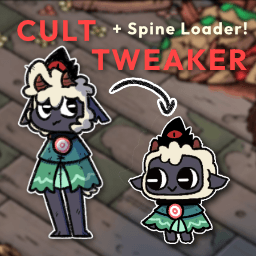
An in-game world editor and content loader for Cult of the Lamb - custom spines, weapons, NPCs, quests, enemies, structures, items and whole dungeons.
Worldshaper
CultTweaker's in-game editor - tools, layers, groups, triggers, dungeons, hubs, base editing, world maps, the menu editor and co-editing over Steam.